


A hard disk is a mechanical device: its platters spin and its heads move constantly, so it naturally makes some noise. Normally, this is a low hum or soft ticking, especially when the computer starts up or shuts down and when data is being read or written.
Noises, clicking or overheating usually point to a mechanical fault: switch off your hard drive and stop trying. In those cases, hard drive recovery is done in a clean room, starting with a free diagnosis.
However, unusual sounds, such as crackling, clicking or scraping, can be a sign of serious problems with the hard disk. If you have recently heard loud or unfamiliar noises coming from your disk, it’s not a good sign.
If the disk is still working normally and the noise is mild, back up your data straight away. If it clicks, scrapes or struggles to be recognized, don’t keep trying to copy files: turn it off and seek specialist help, because every minute it runs can make the damage worse. Often, by the time a disk fails, some data is already inaccessible and you’ll need a professional hard disk data recovery company to get it back.
There are several reasons why a disk may start making noise. Some are easy to solve, while others indicate that the disk is reaching the end of its life and needs replacing. In this article, you’ll find out all about crackling disks and other noises.
Find out more about common hard disk problems and how to solve them.
Why the name “click of death”?
The term “click of death” became popular in the 1990s to describe a sound that signals a serious fault and that the disk’s “death” may be near. The sound comes from the read/write heads trying to read data, failing, returning to their starting position and trying again. Each attempt produces a click, which is why the disk keeps making this sound.
This sound is often the first sign that something is wrong with the hard disk and that it will need to be replaced.
In these cases, turn the disk off and don’t keep trying to access it. If you have important data that isn’t backed up, seek professional help to recover the lost data.
What causes the noise coming from the disk?
Disk noises can have many causes, and different causes produce different noises. Here are the main ones:
Beeps
Beeping or buzzing when you turn on the computer usually means that the platters can’t spin: either the spindle motor is failing or the heads are stuck to the platters. When this happens, the system usually stops recognizing the disk as well. Don’t keep turning it on, as this can damage the heads and the platters further.
Clicks
An occasional click can be normal, but constant clicking is usually a sign of a problem with the disk’s read/write heads.
This sound can mean that the disk keeps retrying after an error, and if it goes on for too long it can damage the platters and cause data loss.
So if you hear constant clicking coming from your disk, turn it off as soon as possible to avoid further damage.
Snaps
Snapping can be a sign that the read/write heads are moving erratically, which usually indicates a serious fault.
Grinding or scraping
This is definitely the worst sound a disk can make, as it means that the read/write heads have come into contact with the platters.
This is extremely damaging because the data is recorded on a thin magnetic layer on the surface of the platters, not inside them. If the heads touch the platter, they scrape off that magnetic layer, destroying both the data recorded there and the disk’s ability to store new data.
If you hear this sound when you turn on your computer, switch it off immediately to stop the damage from spreading. If you have important data on the disk, you’ll need professional help, such as Bot’s, to recover it.
The most common reasons for a noisy disk
Stuck read/write heads
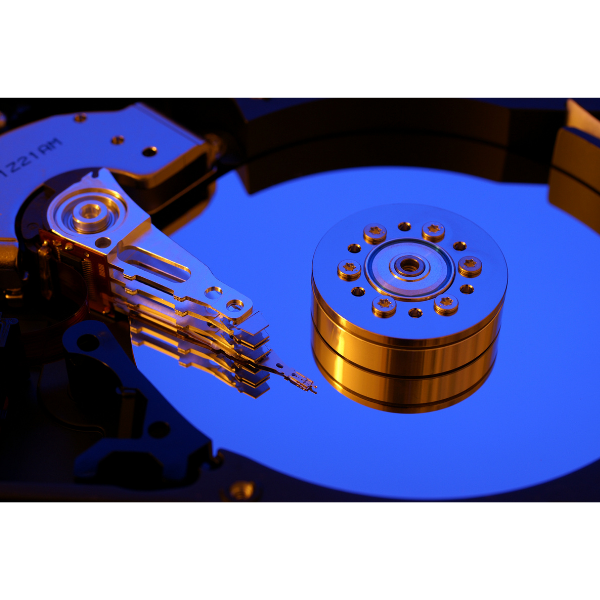
The read/write heads sit at the end of a mechanical arm that moves over the platters to read and write data. They need to move freely for the disk to work properly.
However, after a fall or impact, the heads can become stuck to the platters. This not only stops the disk from working, but can also damage the data stored on it, especially if you keep trying to switch it on.
Spindle motor failure
The spindle motor is the part of the disk that spins the platters, which is essential for the hard disk to work. It is not unusual for this motor to fail, causing noises and errors when reading or writing data.
Damaged cable or USB port
This type of fault is most common in external disks that are carried around with the USB cable still plugged in. Movement of the cable, knocks and falls can damage the cable or the USB port.
As a result, the disk doesn’t receive enough power to work properly, which can cause unusual sounds and malfunctions.
To check whether this is the problem, try the disk with a different cable and USB port.
If the disk still has problems with other cables or asks to be formatted, don’t format it. Read our article external disk asking to be formatted: how to fix it.
Complete disk failure
Unfortunately, hard disks have a limited lifespan, and a disk can fail completely sooner than expected. If the disk makes noises that can’t be explained by any of the causes above, complete failure may be the reason.
If so, it’s time to replace the disk. If it is still working, back up your data before doing so; if data has already been lost, seek professional help to recover it.
How do I recover a hard disk with the click of death?
When a disk shows signs of failure such as the click of death, it is usually a mechanical fault, which is difficult to repair. The best thing you can do is have the data recovered by a specialist company like Bot.
In other words, this isn’t something recovery software can solve. When a disk fails this way, the only option is to replace it and, if you need the data, have it recovered by Bot. If you have a backup, your data is safe.
What not to do with a failing hard disk
Don’t put your hard disk in the freezer
Many people believe that freezing the disk will fix the problem. Heat is a real problem for computer components, but freezing the disk is not the solution. And if the disk is already failing, the last thing it needs is the condensation that forms when it comes out of the freezer.
Don’t open the disk
Hard disks are very delicate, and opening one yourself will make things worse: a single speck of dust can damage the heads and platters. A disk should only be opened in a cleanroom, with the right tools, to avoid further damage. Seek help from a qualified company to avoid preventable damage.
Read next
Conclusion
No computer is completely silent, but the hard disk is one component you should listen to carefully. If your disk starts making unusual noises, back up your data while it still works normally or, if it clicks or scrapes, turn it off and seek expert help.
If you need to recover data from a faulty disk, talk to Bot. We have more than two decades of experience recovering data from faulty disks and more than 200,000 cases!


