


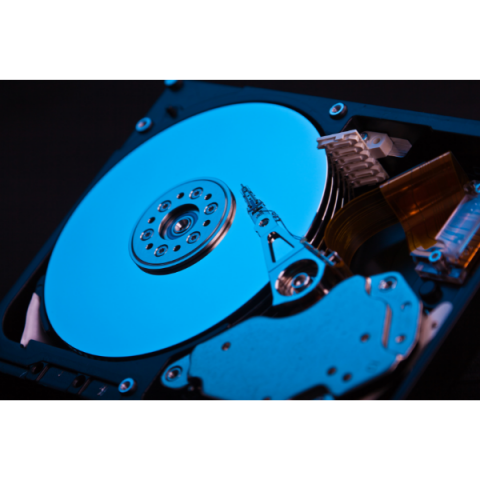
A hard drive can make a number of noises that suggest something is wrong, but a beeping sound is one of the clearest signs that it is failing.
Noises, clicking or overheating usually point to a mechanical fault: switch off your hard drive and stop trying. In those cases, hard drive data recovery is done in a clean room, starting with a free diagnosis.
In most cases, the beep means the drive is trying to spin its platters or move its heads and something mechanical is preventing it.
But what does that actually mean? How dangerous is a beeping drive, and can you prevent it from happening?
In this article you will learn:
- What causes the sound;
- The risks of a beeping drive;
- How to recover data from a beeping drive;
- How to keep your hard drive from beeping.
What causes the sound;
A hard drive usually beeps because its internal components cannot move the way they should.
In other words, what you hear is not a programmed alert: it is the motor straining to move parts that are stuck.
Common causes of a beeping hard drive include:
- A stuck actuator arm;
- Read/write heads stuck to the platters or jammed off the parking ramp (stiction – the static friction that keeps two surfaces at rest from starting to move);
- A seized spindle motor or bearing, which stops the platters from spinning;
- A shorted printed circuit board (PCB).
The risks of a beeping drive;
In normal operation the platters spin at thousands of revolutions per minute, and problems such as stuck read/write heads keep the moving parts from reaching your data.
That is why powering on a drive with stuck parts only causes more physical damage.
If the read/write heads are stuck, forcing the platters to spin can scratch their surface, and that causes serious, often permanent, data loss.
Damage of this kind calls for a professional data recovery service, such as Bot, as soon as possible.
If you keep powering on the drive without fixing the problem, you will not only make the damage worse, you may also destroy any chance of recovering your data.
If you unplug the drive and leave it untouched, however, the chances of recovering your files remain much better.
How to recover data from a beeping drive;
If your drive is beeping, seek expert help without delay. Even if the motor is not completely seized yet, it may end up that way if you keep connecting the drive without dealing with the cause.
And do not try to recover the data yourself.
A beeping drive has physical damage that simply cannot be fixed at home.
Online tutorials may look helpful, but opening a hard drive outside a cleanroom exposes the platters to dust and other contaminants, causing further damage and reducing the chances of a successful recovery.
The safe way to deal with a beeping drive and get your data back is to send it to a professional data recovery company, such as Bot.
There is no safe do-it-yourself fix for stuck read/write heads that lets you skip a data recovery lab.
How to keep your hard drive from beeping
Data loss problems such as a beeping drive are most often caused by physical damage, such as a drop or a knock.
So handle external drives, and any device with an internal hard drive, with extra care: they are very sensitive to impacts, especially while running.
Read next
Conclusion
A beeping drive is a sign that the hard drive is failing and that you will need expert help to solve the problem.
At Bot we can work on your hard drive and attempt recovery in all kinds of data loss scenarios, including beeping drives.
Because we work in a Class 100 (ISO 5) cleanroom, under ISO 14644-1, your drive is protected from contamination while it is opened.
We also use equipment from ACELab, one of the world’s leading manufacturers of professional data recovery tools.
We have handled more than 200,000 cases, so start your recovery now: collection is free (islands excluded), and you will receive the diagnosis and quote within 48 hours.


