


Have you ever stopped to think how many files and documents a company, or even an individual, uses every day?
And if your SSD ever fails with important files on it, Bot’s SSD data recovery starts with a free diagnosis.
Can you imagine losing all of it and having to recover the data?
Photos, text documents, PDFs, e-books, videos, spreadsheets, audio files, personal projects… To keep up with this reality, new storage options have emerged, such as the solid-state drive, or SSD.
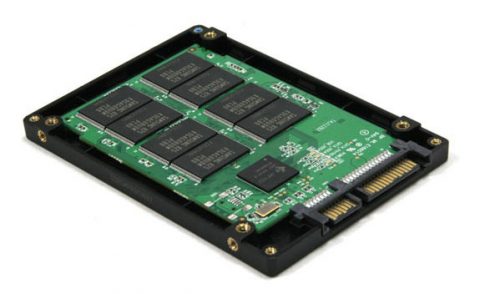
So what exactly is an SSD?
An SSD is a storage device built on flash memory, with no moving parts, and it outperforms the traditional hard disk drive.
The SSD is widely regarded as one of the best storage options. But like any device, it can fail, and when it does, the data has to be recovered the right way.
Can data be recovered from an SSD?
Yes, in many cases. SSD data recovery should be carried out by specialists, who use dedicated tools and software to recover the files safely. The process is usually more complex than with a hard drive: it often means working directly with the SSD’s controller and firmware, because many SSDs encrypt data internally, which makes simply removing the memory chips and reading them elsewhere rarely possible.
Advantages of an SSD:
An SSD loads the operating system, files and programs much faster, which makes it an excellent choice for everyday work, especially for companies and freelancers who handle large amounts of data every day.
Even though the SSD is a modern and reliable storage device, problems can still happen, whether from viruses and other threats, human error or physical and electronic damage to the drive.
When that happens, the data has to be recovered from the SSD. After the diagnosis, the specialist tells the customer what the fault is and what steps will be taken to recover the data. If files were deleted by mistake, stop using the drive right away: on SSDs with TRIM enabled, deleted data can be wiped permanently very quickly.
Advantages of an SSD over a conventional hard drive (HDD):
- It is much smaller and takes up less space;
- It has a more modern design, with no moving parts;
- It is several times faster than a hard drive;
- It improves the computer’s overall performance;
- It is more resistant to drops and knocks, but it is not indestructible and can fail just like any other device;
- Files and programs load much faster;
- It uses less power.
Enjoyed learning about the advantages of SSDs? Then take a look at Bot’s data recovery solutions too!
Talk to our specialists and get your questions answered.


