


RAID is a solution used by individuals and companies who want more performance, more security, or both, from their HDDs or SSDs.
Either way, when something goes wrong, RAID data recovery is the way to get your information back.
Although a well-configured RAID offers greater security, it is not completely immune to failures and problems.
As a result, data can become corrupted or inaccessible, which in many cases can be reversed with professional recovery.
Read on to learn how RAID works, how Bot’s RAID recovery process works and how it can help you if your data is corrupted or deleted.
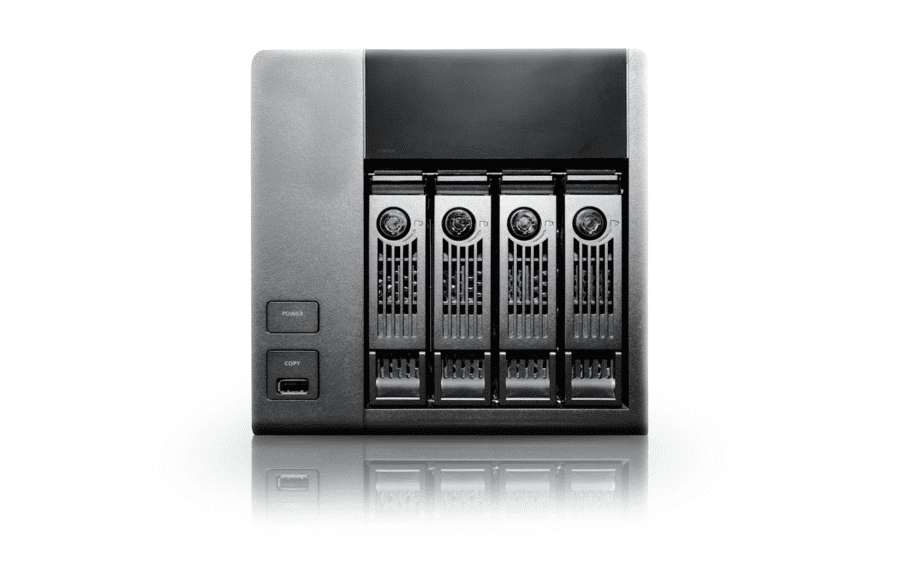
What is RAID?
Originally, the acronym stood for “Redundant Array of Inexpensive Disks”. The term was coined in 1987 by David Patterson, Garth A. Gibson and Randy Katz of the University of California, Berkeley, and first presented in 1988 at the annual SIGMOD conference.
Over time, to distance the technology from the idea of something “cheap”, which could raise doubts about its quality, the industry changed the acronym to Redundant Array of Independent Disks.
With RAID, the operating system sees all the drives in the array as a single drive. For example, four 2 TB hard drives in a RAID 0 configuration are seen as a single 8 TB volume.
RAID can also be built with SSDs, which increases the cost but significantly improves performance.
What are the types of RAID?
RAID arrays can be configured in different ways. The most common are:
RAID 0: data is split across all the disks, which work as one, and performance increases with the number of disks in the array. The goal is better performance, but there is no redundancy: if one disk fails, the data on the whole array is lost.
RAID 1: the choice when data protection is the top priority. It needs at least two disks and, in short, writes the same data to each of them (mirroring). If one disk fails, the data is still available on the other.
RAID 5: stripes data across all the disks in the volume and writes a parity block for each stripe, distributed across the disks. It is widely used in servers and storage systems with at least three hard drives. It adds a layer of redundancy that can survive the failure of one disk, at the cost of part of the storage capacity.
RAID 6: an evolution of RAID 5, this is a dual-parity RAID, which means up to two disks can fail without data loss. The extra protection costs some write performance, and it offers less usable capacity than single-parity arrays.
RAID 0+1: combines the performance of RAID 0 with the fault tolerance of RAID 1. It needs at least 4 disks, arranged as two RAID 0 sets that mirror each other.
No RAID level is simply better than the others: it all depends on what you want to do with your RAID, whether for personal or business use, and how much you want to invest.
RAID data loss causes
Although RAID arrays solve many storage problems, including speed and capacity limitations, recovering data after one or more disks fail can be more complicated, or sometimes even impossible, and some RAID layouts make this harder.
Knowing this may influence the RAID level you choose, but failure is always a possibility.
Knowing when and how things can go wrong helps you prevent disk failures and improves your chances of recovering your RAID data.
Files encrypted by ransomware
Ransomware is a cyberattack in which the attackers try to exploit as much of the victim’s financial and confidential information as possible.
That’s why they usually target customer databases of private companies and healthcare providers, bank details, passwords and other sensitive personal or corporate information.
In a ransomware attack, the data is encrypted and the attackers demand money as a ransom.
Overwritten data
When your data “disappears”, it is often still there on your disk. You just can’t see it.
The space it occupied is still there and, as long as it isn’t taken up by new data, the old data can still be recovered.
However, if you keep using the drive and save new data to the space previously occupied by the old data, it will be overwritten and can no longer be recovered.
So, as soon as you notice data loss, stop using the drive immediately.
Firmware update failure
The firmware of a NAS device or RAID controller is updated whenever the manufacturer releases a new version.
But when the firmware update is interrupted or the update file is corrupted, the update fails and the device may no longer recognize the configured RAID array.
Inserting hard drives into the wrong slots
If you remove more than one hard drive and put them back into the device in different slots, this can cause the RAID array not to be recognized, making it impossible to access the stored data.
Array disk problems
A disk array is a group of disks that work together with a specialized array controller to achieve higher data transfer rates.
Depending on the RAID level selected, the array can also provide data redundancy.
Disk arrays use RAID technology to provide data redundancy and higher transfer rates than a single large disk.
In RAID levels with redundancy, a failed disk can usually be replaced without interrupting normal system operation.
However, if more disks fail than the RAID can tolerate, data will be lost.
RAID controller failure
A RAID controller is a hardware device or software used to manage hard disk drives (HDDs) or solid-state drives (SSDs) in a computer or storage system so that they work as a single logical drive.
It provides a degree of protection for stored data and can also improve performance by speeding up access to it.
So, if the controller fails, the RAID becomes inaccessible and has to be recovered. The data usually remains on the disks, but you should never initialize or recreate the array on a new controller without knowing the original configuration, as this can wipe it.
Accidental rebuild
Accidental rebuilds are among the main causes of RAID data loss. They usually happen when an array is rebuilt with the disks in the wrong order or with the wrong configuration.
Rebuilding under these conditions has unpredictable consequences. The rebuild may stop immediately, or the entire RAID may be overwritten, effectively erasing all the data.
What is RAID data recovery?
RAID recovery has the same goal as recovering data from HDDs, SSDs and other storage devices.
Several factors can make RAID recovery necessary, such as:
- Human error
- Software or hardware failures
- Malware infection
- Mechanical problems with the disks
- Power failures
- Bad sectors
- System crashes, among others.
Although a RAID can be damaged by the same things as HDDs, SSDs and other storage devices, its recovery has one important particularity.
When a RAID is damaged, its volume becomes inaccessible and the data is no longer available.
Because the data is spread across several disks, it can’t be accessed or recovered directly from any single drive: the RAID has to be virtually rebuilt to get the lost data back.
This complexity means RAID data recovery should be left to professionals. After all, any wrong step can make recovery even harder.
That’s where Bot comes in, a company specializing in RAID recovery, with more than two decades of experience.
All the necessary data recovery procedures are carried out by highly qualified professionals.
Types of RAID recovery
There are different types of recovery, depending on what has happened to the system. Some of the main ones are:
Degraded or corrupted RAID recovery
A RAID becomes degraded when one or more of its disks fail or go offline, interrupting normal communication with the rest of the disks.
When a RAID runs in degraded mode, the remaining disks have to work harder, and with lower performance.
That’s why when one disk stops working, the others sometimes fail shortly afterwards, especially during a rebuild.
In degraded mode, the RAID loses its redundancy, whether based on mirroring or parity, and becomes extremely vulnerable to data loss.
Although the situation is complicated, recovering data from a degraded or corrupted RAID is often possible, and the data can be made available again.
Recovery from an inaccessible RAID
A RAID can become inaccessible due to various factors, such as the following:
- RAID controller failure: if the controller is damaged for any reason, such as a power outage or a server failure, the RAID can become inaccessible.
- Logical disk failures: common problems, such as damaged system files, can also make the RAID inaccessible. They can be caused by viruses, malware and power failures, among other things.
- Bad sectors: these usually appear on older hard drives or drives with mechanical problems. When a sector goes bad, the data it contains becomes unreadable. If that sector holds important RAID data, or if it appears during a rebuild, the whole array may become inaccessible.
- Server failure: the server hosting the RAID can fail due to disk problems, software errors or problems with the RAID controller. After a server failure, there is a good chance the RAID will be corrupted and therefore inaccessible.
- Multiple disk failures: RAID 5 can survive one failed disk and RAID 6 can survive two, continuing to work in degraded mode. However, if that number is exceeded because of disk errors, overheating or other failures, the RAID becomes inaccessible.
Recovering data from an inaccessible RAID is also a critical situation, so it should be left to specialists.
After all, any repair attempt without the right knowledge could cause serious problems for the entire system.
Formatted RAID recovery
Accidental formatting is a relatively common problem that can occur when managing RAID volumes.
Even so, it is still possible to recover data from a formatted RAID volume, especially if the array is still online and recognized by the system and no new data has been written.
If the RAID array went offline after the volume was formatted, the situation is more complex. In this case, the array has to be rebuilt to recover the data.
Whether the formatting was accidental or intentional and you’ve changed your mind, it is often still possible to recover the RAID.
However, the work should be done by professionals so that your valuable data is not lost for good.
Is there a program to recover RAID?
Yes. If you search online, you’ll find programs that claim to recover RAID data. Some of them really work, and they are used by professionals.
However, you need to know how to use them, so that a possible solution doesn’t turn into an even bigger loss.
If you aren’t thoroughly familiar with these programs, the best thing to do is not to use them.
Instead, as soon as you notice a failure or problem with your RAID, contact a specialized data recovery company.
With all the necessary expertise, Bot knows the best solution for each case, which increases the chances of recovering your data.
What equipment is used to recover data from RAID?
When physical work is required on storage devices, whether HDDs or SSDs, very specific, precise tools and equipment are needed.
In addition, hard drives with mechanical failures must be worked on in a controlled, properly equipped laboratory.
This is critical because hard drives have very delicate internal mechanical parts, and a single dust particle or careless handling can damage them even further.
In addition to its expertise in RAID recovery, Bot works in a Class 100 (ISO 5) cleanroom.
This means your device is opened in a closed environment with strict particle control, under ISO 14644-1.
How can I recover deleted files from RAID?
It depends on the case. It can vary with the type of RAID and with how the files were deleted (a simple deletion or a format, intentional or not, for example).
Recovery relies on specialized tools, equipment and software.
And, of course, on the professional’s expertise, to give you the best possible chance of success.
Even though it is a complex service, Bot has a 96% success rate.
So you have a good chance of getting your RAID data back, even if other companies have already given you a negative diagnosis.
5 tips to prevent RAID data loss
As with any storage device, there is always a risk of data loss in a RAID.
However, you can reduce that risk, and the following tips help a lot:
1. Back up regularly and test your backups
Some RAID levels, such as RAID 5 and RAID 6, are designed to keep working when one or two disks fail. But RAID is not a backup.
That’s why it is essential to have a regular backup routine, whether in the cloud or on an external drive.
It’s also important to regularly test your backups to make sure everything is OK.
2. Choose the right configuration and hardware for your RAID
Hardware and software failures are very common in RAIDs. Therefore, choosing the right configuration and controller helps to avoid a number of risks.
To do this, check out the list of RAID configurations we’ve put together on this page and choose the one that best suits your needs.
You should also always use good controllers in your system, whether hardware or software.
3. Protect yourself against viruses and malware
RAID arrays can also be affected by viruses and malware. Investing in good protection significantly reduces one of the main causes of RAID data loss.
4. Always keep your drivers, software and operating system up to date
As well as choosing good software, it’s important to keep it up to date. This helps fix bugs and improve system performance.
5. Use an uninterruptible power supply
Also known as a UPS, this equipment keeps your devices running for a while, even if there is a sudden power cut, so you can shut them down safely.
Since power cuts can cause data loss, the investment is well worth it.
How much does RAID recovery cost?
It’s hard to answer this question, because it all depends on the complexity of the problem, not on the amount of data on the RAID.
What counts most is how much work is needed to recover the data. To give an accurate quote, we need to assess the electronic and mechanical condition of the HDDs or SSDs in the array. Only then can we tell whether the data can be recovered.
To get an idea of the costs, see our pricing page.
But the final price can only be obtained through a complete analysis of the devices.
For safe, fast and efficient RAID data recovery, count on Bot.
That way, you’ll get back access to your valuable data, and your peace of mind!


