


Chia mining is on the rise, but it calls for a lot of care if you want to avoid damaging your hardware.
If your SSD is already showing signs of failure and the files matter, see our SSD recovery service.
Have you heard of Chia mining? Chia is a recent cryptocurrency that has been getting a lot of attention in a market that has existed for just over a decade but already moves more than a trillion dollars – literally.
Bitcoin is the best-known cryptocurrency because it was the first. It was created in 2009 by Satoshi Nakamoto, a pseudonym whose real identity has never been revealed. Since then, thousands of other cryptocurrencies have appeared – according to Investopedia, there were more than 4,000 by January 2021.
A list published by Analytics Insight on June 8, 2021 ranked the 10 cryptocurrencies with the highest market capitalization. Together they were worth no less than US$1.2 trillion – more than Mexico’s GDP.
Chia, whose company was founded in 2017, works differently from most cryptocurrencies: it lets people with ordinary computers mine – or, as Chia calls it, “farm” – coins.
The catch is that this can wear out the SSD used for farming, especially if it is done carelessly. The losses can be significant, while the gains may be slow to arrive.

Follow us on social media and leave your questions there – they may become the topic of our next article.
Before we start, we recommend this article on Tom’s Hardware, which was a valuable source for this one.
Read on to learn more about this more sustainable cryptocurrency, how it works and how it can damage SSDs.
What is the Chia cryptocurrency?

Chia Network was founded in 2017 by Bram Cohen, the creator of BitTorrent, and its network went live in March 2021. Its executives include other well-known names, such as Gene Hoffman (founder and former CEO of eMusic.com and Vindicia) and Mitch Edwards (former CEO of Overstock.com).
Chia Network has built a blockchain (a kind of database in which cryptocurrency transactions are recorded) which, according to the company, is a better, smarter, more decentralized, efficient and secure transaction platform.
Chia’s focus has been on creating a more sustainable cryptocurrency, with a smaller environmental impact than the mining of other currencies, which uses a huge amount of electricity.
Chia mining – which the company itself calls “farming”, a name that reinforces its green image – uses a process that needs far less electricity. It is a little complex, but we will try to sum it up here.
Bitcoin (and Ethereum, at the time this article was written) relies on a mechanism called “Proof of Work”, in which computers compete to solve complex calculations; the cost of that effort is what protects the network against abuse. At large scale, the energy consumption is enormous.
Chia uses a different mechanism, “Proof of Space and Time”: a cryptographic technique in which participants prove that they are setting aside unused disk space for a certain period of time.
In other words, farming Chia uses less electricity than mining other cryptocurrencies, which makes it a more sustainable and economical option.
Another key difference from other cryptocurrencies is that Chia does not reward users for running powerful graphics cards to carry out complex calculations, but for creating large files and keeping them stored on their drives.
Bram Cohen also told CNN Business that Chia was designed to be accessible: the idea, he said, is that anyone who can use the internet should be able to use the software.
Chia’s proposal has been well received. According to Bloomberg, Chia Network Inc., the company behind Chia, was valued at around US$500 million in a funding round.
Chia’s backers include well-known investors such as Breyer Capital, Collab+Currency, Cygni Capital, DHVC, Naval Ravikant, Slow Ventures and True Ventures.
How do you mine Chia?
Farming Chia is relatively simple. The Chia client software, which connects to the network (the “mainnet”), can be downloaded from the Chia website. All you need to do is install it and set aside some space on your storage drives for the network.
Unlike Bitcoin mining, Chia does not require dedicated hardware: you can leave the program running while you work, play games or use your computer for anything else.
This makes Chia an accessible cryptocurrency. Cohen pointed out that many people have unused space on their drives that could be put to work farming Chia.
The process deliberately mirrors farming, an analogy chosen by Chia Network itself. The basic steps are:
-
Clearing the field
First, you remove files you no longer need from your storage devices to free up space for farming.
-
Plowing and sowing
Next comes the creation of the files that will later be “harvested”, a process called “plotting”. Here, “plot” means a plot of land.
-
Harvesting
Once the files have been “planted”, you have to wait for the crop to grow, which can take a long time.
How do you earn Chia?
Your chance of winning a Chia block is proportional to your share of the network’s total space: the space each user (called a “farmer”) contributes compared with the whole network.
According to Chia Explorer, on June 10, 2021, when this article was written, the total space dedicated to the Chia network, known as “netspace”, was 21.093 EiB (exbibytes). To put that in perspective, 1 EiB is equal to:
- 1,024 PiB (pebibytes)
- 1,152.92 PB (petabytes)
- 1.049 × 106 TiB (tebibytes)
- 1.153 × 106 TB (terabytes)
- 1.074 × 109 GiB (gibibytes)
- 1.153 × 109 GB (gigabytes)
These figures are hard to picture, but the takeaway is that the Chia network already has a huge amount of netspace, and it is likely to keep growing.
Put simply, each Chia plot works a bit like a bingo card, only more complex. Every time a new block challenge comes up, the network picks a winner according to a set of rules.
If your plot matches those rules and “wins” the block, you receive the reward, which is currently 2 XCH (XCH being the Chia currency code).
According to the official Chia FAQ, after the pre-farm the reward was set at 64 XCH every 10 minutes. During the first 12 years, the reward is halved every three years.
From year 13 onwards, the reward stays constant at 4 XCH every 10 minutes.
At the moment there are 32 blocks every 10 minutes, which works out at about 4,608 blocks a day, or one block every 18.75 seconds.
Since your chance of winning a block depends on how much netspace you contribute, the more storage space you dedicate, the better your odds.
You can work out the odds by hand, but the easiest way is to use a Chia calculator. On the day this article was written (June 10, 2021), the estimated time to win a block for each number of plots was:
- 1 plot: more than 132 years
- 10 plots: more than 13 years
- 50 plots: more than 2 years
- 100 plots: more than 1 year
- 200 plots: 8 months
- 300 plots: 5 months
- 400 plots: 4 months
- 500 plots: 3 months
- 750 plots: 2 months
- 2000 plots: approximately 1 month
It sounds simple, and it really is not that complicated. However, each plot is about 101.4 GiB (108.88 GB), so you need a huge amount of storage space.
In other words, with 10 TB available, you would expect to wait more than a year to win a single block of Chia, worth 2 XCH.
According to the price on CoinMarketCap on June 9, 2021, 1 XCH opened the day at US$553.33, so 2 XCH would have been worth about US$1,106.66.
Remember that the times above are only estimates. Think of lottery tickets: buying more tickets increases your chances of winning, but someone with just one ticket – or, in this case, one plot – can still win.
What does Chia mining have to do with storage drives?
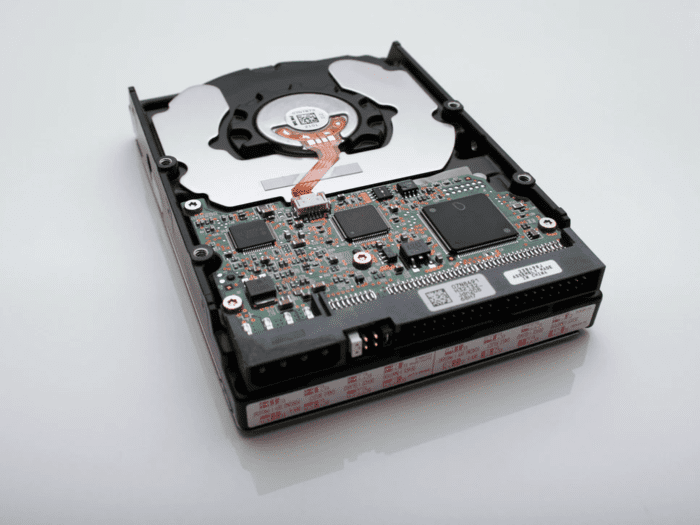
As we said, each plot is more than 100 GB. But it is not just about space: the characteristics of the drives you use matter too.
According to Tom’s Hardware, with a very fast Intel® Optane™ 905P series SSD, each k=32 Chia plot takes around 6 to 7 hours to create.
You can plot on a hard drive, but it takes about twice as long, and a hard drive does not cope well with several plots at once. With SSDs and the right configuration, you can create several plots in parallel.
Once the plots are finished, they can be moved to hard drives. This combines the speed of SSDs for plotting with the lower cost per terabyte of hard drives for storage, keeping costs down.
However, the challenge is not only the final size of the files but also the temporary space needed to create them.
In theory, each 101.4 GiB plot needs up to 350 GiB (375.81 GB) of temporary space – although the Tom’s Hardware team managed to plot one at a time on SSDs with 260 GiB (just under 280 GB).
In their tests, with fast SSDs the limiting factor was capacity. With a 2 TB SSD (about 1.82 TiB), they could create up to six plots at the same time. For more, you need a bigger SSD or more SSDs.
Each plot also needs 4 GB of RAM and two CPU cores, so running several plots at once requires a more powerful computer.
The big problem is that not every SSD is suitable for Chia. Consumer SSDs in particular are a poor choice, because plotting writes huge amounts of data and wears them out very quickly.
Bram Cohen explained the issue in more detail in a Twitter thread, which you can read here:
(Tweet: https://twitter.com/bramcohen/status/1393988621921701889)
These are some of the main points he made:
- Plotting on an old hard drive or an enterprise-class SSD will not cause any problems for the device.
- Plotting on a hard drive, even the same drive that will hold the plots, is somewhat slower (not much more than twice as long), but it works well.
- Do not plot on consumer SSDs, or at least plot only a little on each one.
Cohen also drew an interesting comparison in his last tweet:
(Tweet: https://twitter.com/bramcohen/status/1393991791590838277)
In short, this is what he said:
You also should not clean non-stick pans with steel wool, wash vegetables with soap or use your phone as a doorstop. None of this is an argument against steel wool, soap or phones – it is simply basic advice on using your tools properly.
According to MyDrivers, a 512 GB SSD would reach its TBW (terabytes written) rating after just 40 days of Chia plotting, and a 1 TB SSD after only 80 days.
The report was picked up by reputable outlets such as NotebookCheck, which adds to its credibility.
TBW is the total amount of data the manufacturer rates the SSD to withstand being written over its lifetime, and it usually defines the warranty. Once it is exceeded, the flash memory is worn and the drive may start failing, go read-only or stop working, and has to be replaced.
Chia mining can therefore be an alternative way to earn money (although not always in the short term, as we have seen). However, mining Chia on an SSD can wear the drive out for good.
Can an SSD worn out by Chia mining be recovered?

The drive itself, no: once the flash memory is worn out, it cannot be restored to reliable use. The data is another matter. Many SSDs switch to read-only mode when they reach the end of their write endurance, so the files can often still be read. Recovery is done in a lab and, if the controller has failed, it is more complex than recovering data from damaged hard drives.
It may seem strange that an SSD can wear out from heavy use. But mining Chia puts an SSD under far more stress than an average user ever would.
For example, the datasheet for the SanDisk Ultra® 3D SSD lists the following endurance ratings for each capacity:
- 250 GB: 100 TBW
- 500 GB: 200 TBW
- 1 TB: 400 TBW
- 2 TB: 500 TBW
- 4 TB: 600 TBW
The smallest version (250 GB) is rated for 100 TB written. That is a huge amount of data, which an average user is unlikely ever to reach.
So if you want to mine Chia, take the SSD’s endurance into account and plan for how long your farming equipment will last.
Bear in mind, too, that the SSDs and drives used for Chia are not meant to store personal files, but to create plots that are later moved to a hard drive. That is why, in most cases, few personal files are lost.
Read also: How to recover a corrupted hard drive and what can corrupt it
Thinking of farming Chia? Plan your setup first
Chia is growing fast among cryptocurrencies, and its company has been valued at around US$500 million – no small feat in a market with thousands of different cryptocurrencies, as we saw at the start of this article.
Because the reward per block decreases over time, those who start early have better odds of earning more. If this cheaper, more sustainable alternative to mining Bitcoin and other currencies appeals to you, the sooner you start, the better – as long as you plan your hardware carefully.
Unfortunately, SSDs that have been used to mine Chia and have gone past their TBW can rarely be made reliable again for everyday use, but the data on them can often still be recovered. For that, or for any other situation, you can count on Bot for professional data recovery.


